Add Mojeek to Firefox iOS
-
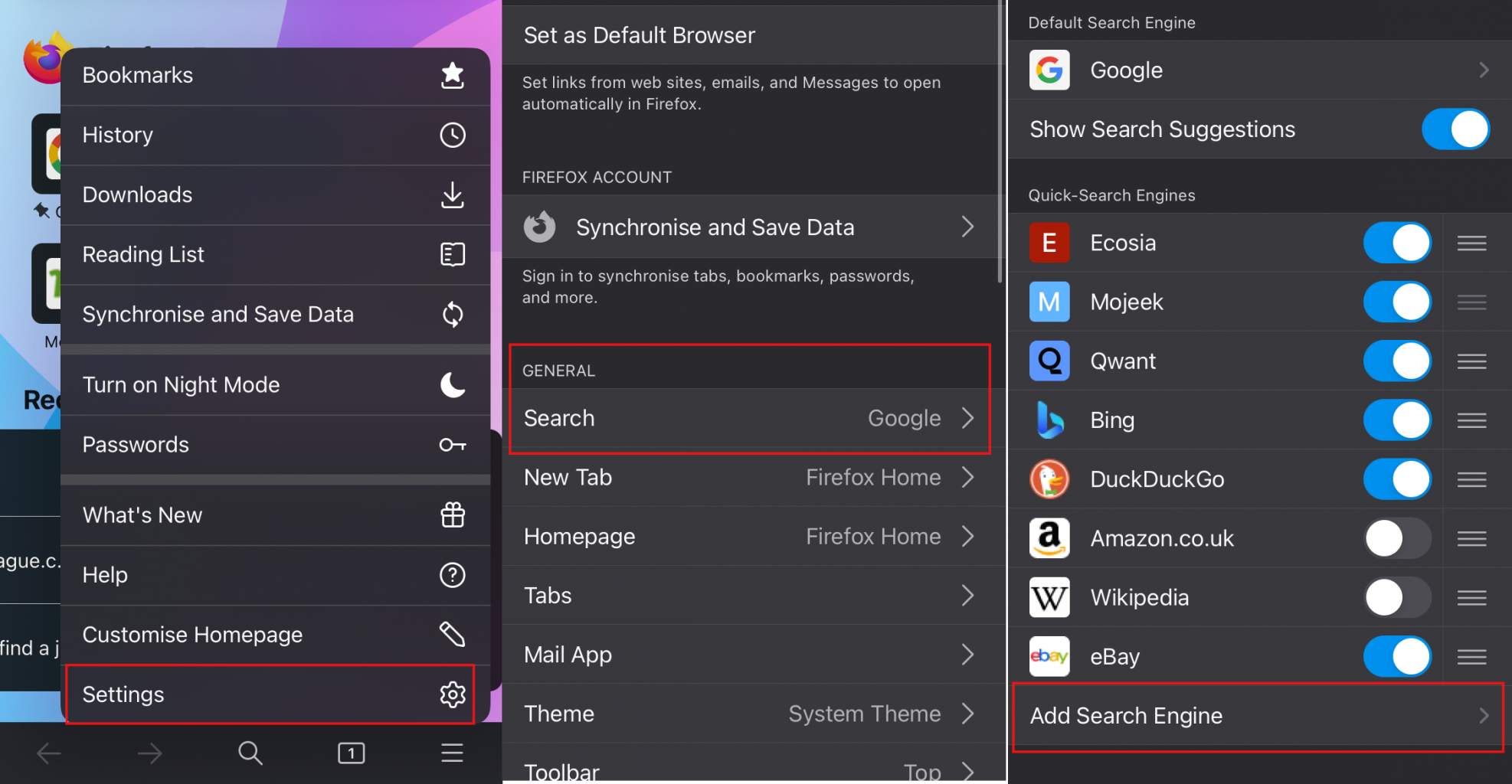
Open Firefox.
-
Open Settings > Search > Add Search Engine.
-
Enter:
- Title:
Mojeek - URL:
https://www.mojeek.com/search?q=%s
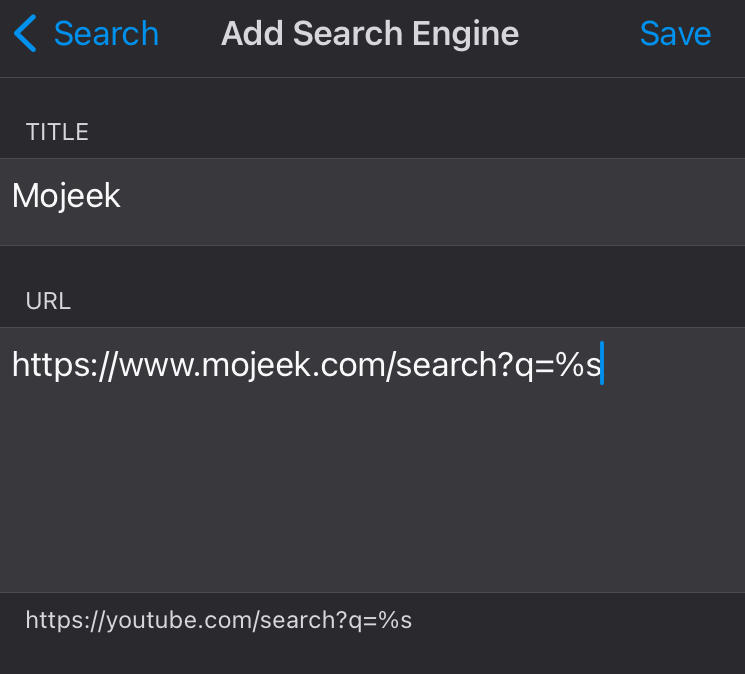
- Title:
-
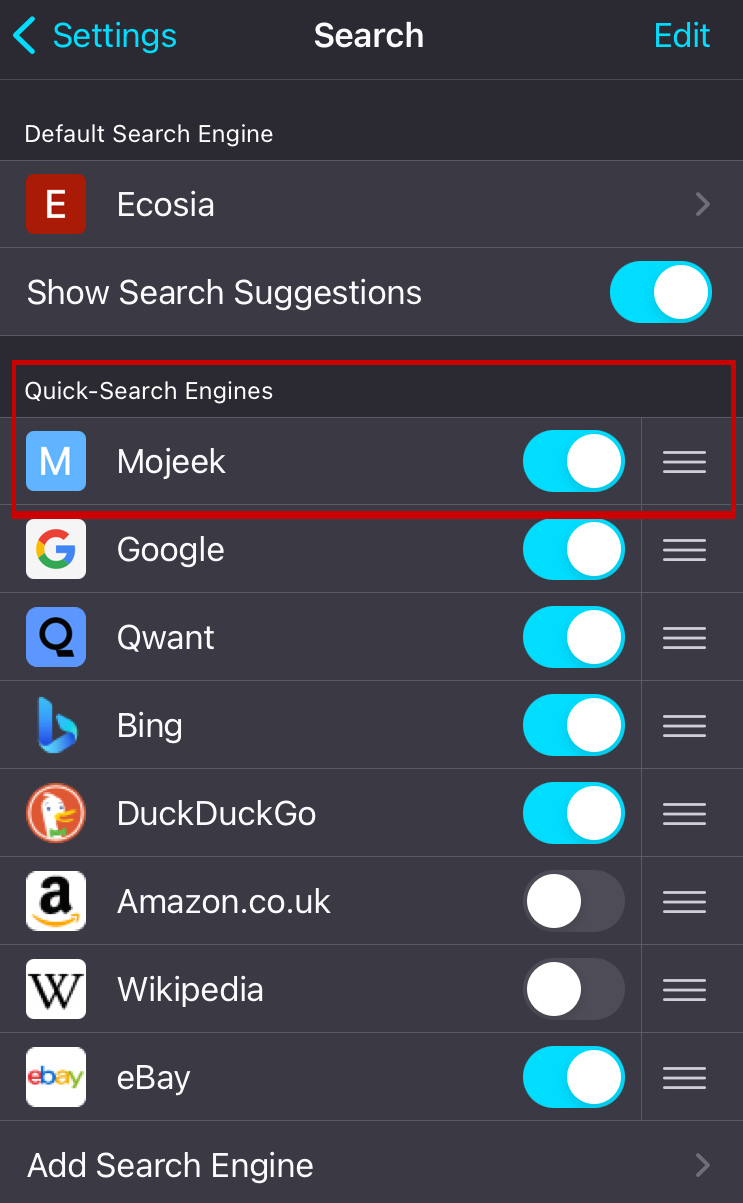
Flip the toggle in order to enable Mojeek as a Alternative Search Engine.
-
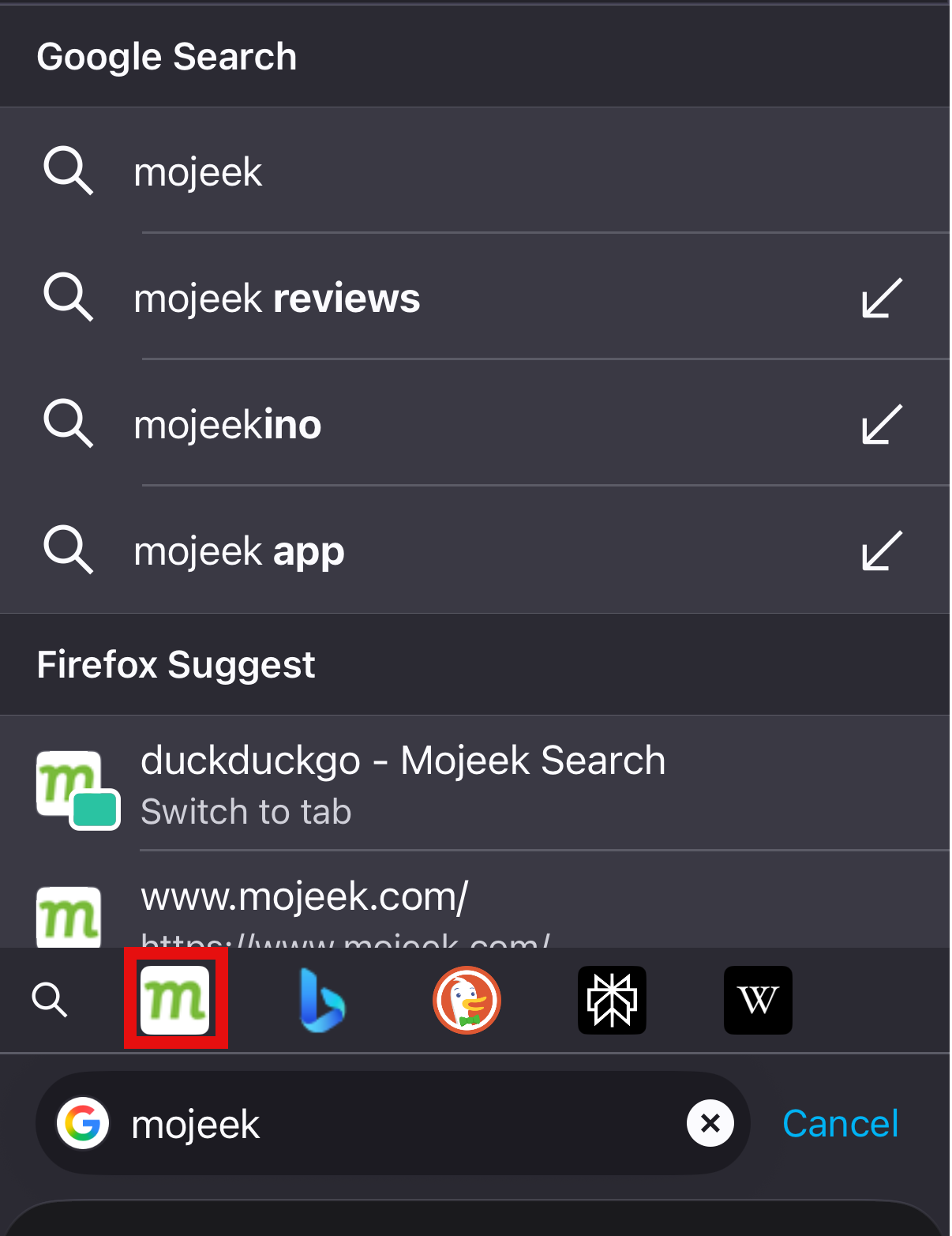
Now that Mojeek is enabled as an Alternative Search Engine you, press the Mojeek button which comes up when using the search bar and this will send your query to Mojeek - instead of your default search engine.
Make Default
-
Press on your current Default Search Engine.
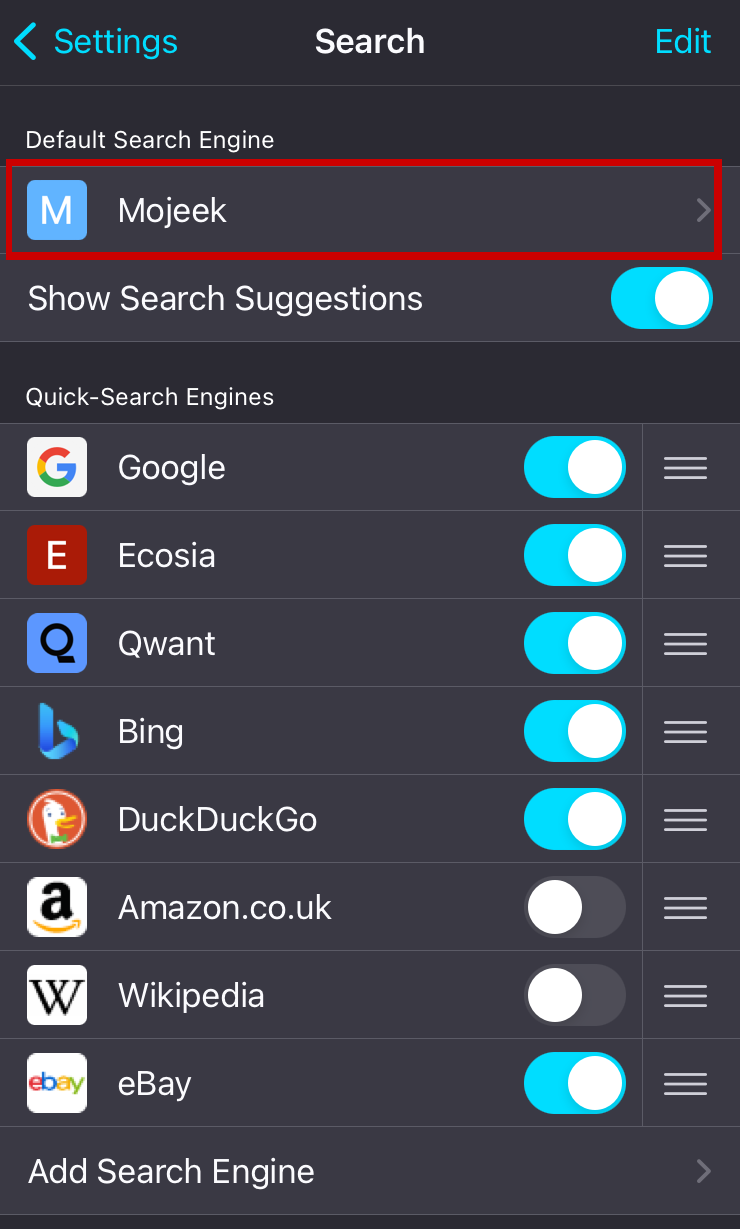
-
Select Mojeek on the next page.
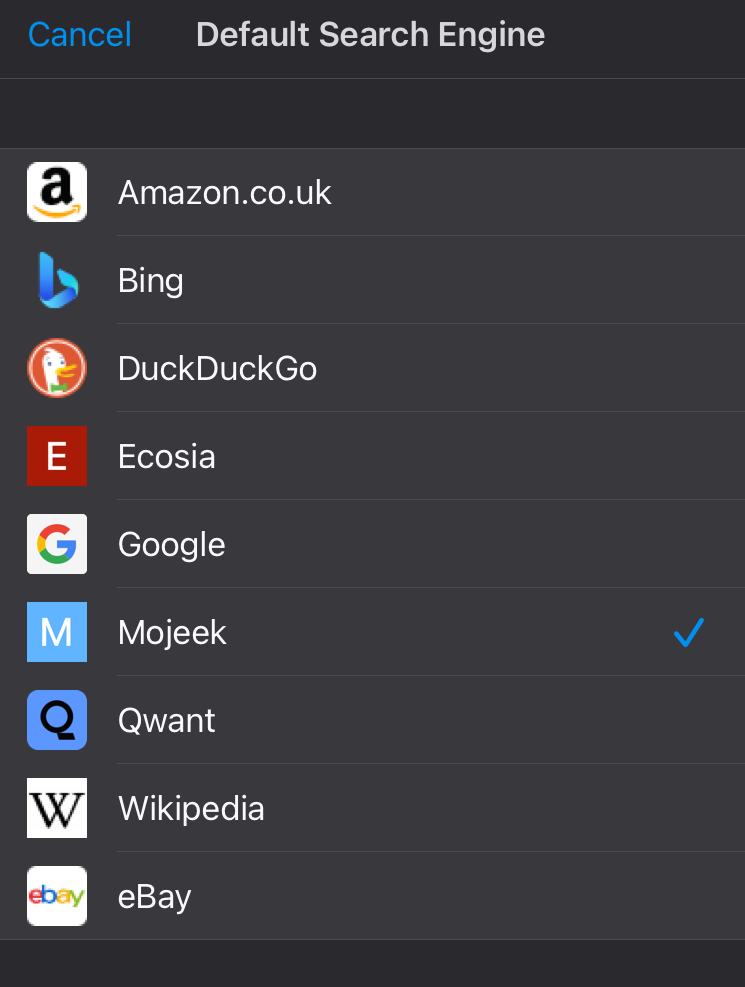
-
You should now be able to search directly from the address bar of your browser.
iOS app
We also have an app which you can download from the App Store.